About This Guide

This guide covers prompt-writing techniques for both OmniHuman 1.5 and OmniHuman 2.0. Explore practical examples for character actions, emotional performances, camera movement, and multi-character scenes.

Prompt support and generated results may vary between model versions. Use the examples as a starting point and adjust your instructions based on the model you choose.

Core Principles

  • Treat prompt writing as storytelling, using coherent and natural language and minimizing the stacking of isolated words as much as possible.
  • Only describe dynamic events. There's no need to describe static features already included in the picture (such as what clothes a character is wearing, what jewelry they are wearing, etc.).
  • Prompts should follow the principles of clarity, non-contradiction, and minimal negation. Use specific rather than abstract descriptions and guide step by step.

Best Practice Template

Recommended Structure:

Camera movement + Emotion of the speaking character + Speaking state (talking/crying/singing/...) + Specific actions + (Optional) Background events/Actions of other characters

Complete Example: 'The camera slowly moves from the side to a medium-front shot. A young woman is sitting by the window, calm, gently picking up the coffee cup and smiling as she talks to the camera. A boy beside her quietly watches her and occasionally turns to the camera and smiles. The lights in the background are gently flickering.'

Note: Writing 'Character xxx talks' or 'Character xxx sings' in the prompt helps improve the speaking performance.

Original website test

OmniHuman Prompt Tests: Same Image, Different Prompts

We used the same reference image and audio in OmniHuman 2.0 and 1.5, starting without a prompt, then adding an action sequence and emotional direction. Compare the actual videos to see what each instruction changed and where the result fell short.

TEST A

No Prompt — Audio Only

Original website generation · Input and output reviewed

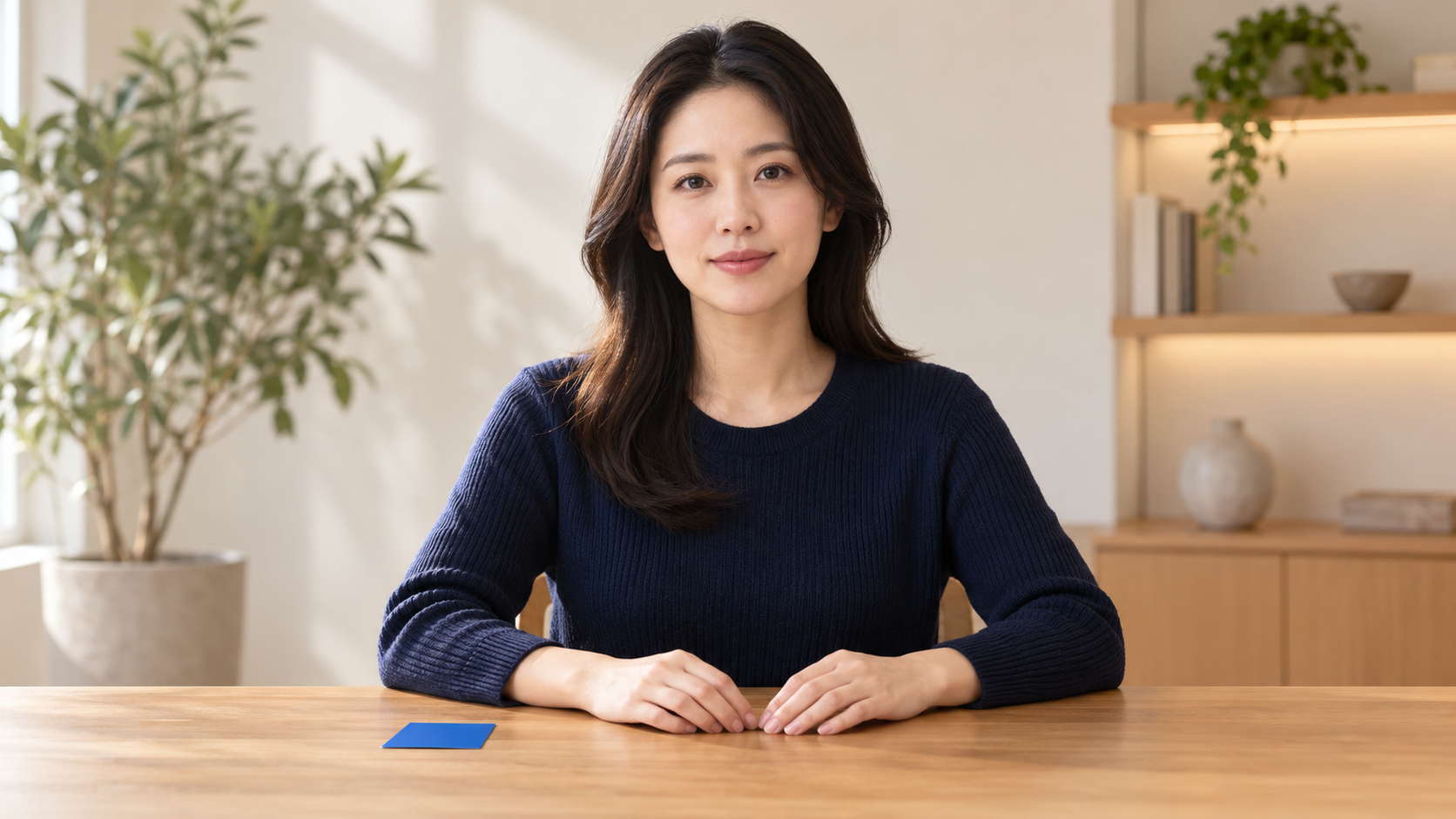
Reference imageReference image for No Prompt — Audio Only
Audio
Prompt

No prompt used

Generated result

OmniHuman 2.0

Matched
What we observed

The presenter uses light conversational gestures while the blue card remains on the desk throughout the video.

Generated result

OmniHuman 1.5

Matched
What we observed

The presenter speaks with natural head and hand movement. Her hand moves toward the card, but she does not deliberately present it.


TEST B

Add a Sequence of Actions

Original website generation · Input and output reviewed

Reference imageReference image for Add a Sequence of Actions
Audio
Prompt

The woman speaks to the camera. During the first sentence, she keeps both hands resting on the desk. During the second sentence, she picks up the blue card with her right hand and holds it beside her face while continuing to speak. During the final sentence, she places the card back on the desk and gives one small confirming nod as she finishes speaking.

Generated result

OmniHuman 2.0

Partially Matched
What we observed

She picks up and displays the card, but continues holding it at the end instead of returning it to the desk.

Generated result

OmniHuman 1.5

Matched
What we observed

She picks up the card, holds it beside her face and returns it to the desk. Most of the requested sequence appears in the right order.

TEST C

Add Emotion to the Same Actions

Original website generation · Input and output reviewed

Reference imageReference image for Add Emotion to the Same Actions
Audio
Prompt

The woman speaks to the camera. During the first sentence, she keeps both hands resting on the desk and speaks with a thoughtful, slightly uncertain expression, briefly drawing her eyebrows together. During the second sentence, her eyes brighten and her expression becomes more optimistic as she picks up the blue card with her right hand and holds it beside her face while continuing to speak. During the final sentence, she places the card back on the desk, changes into a calm and confident smile, and gives one small confirming nod as she finishes speaking.

Generated result

OmniHuman 2.0

Matched
What we observed

Her expression moves clearly from uncertainty to optimism and confidence. She also displays and returns the card before the final smile.

Generated result

OmniHuman 1.5

Partially Matched
What we observed

She displays the card, returns it to the desk and finishes calmly. The requested emotional change is visible, but more subtle.

01
Establish a baseline

Use no prompt when natural speech and spontaneous gestures are enough. The model did not deliberately present the blue card without an instruction.

02
Describe the action sequence

Connect actions to moments in the audio: first, during the next sentence, and finally. Both versions showed the card interaction; 1.5 completed more of the requested sequence in this example.

03
Add emotion after actions are clear

Layer expression changes onto the established sequence. Both versions followed the main action, while 2.0 showed the emotional progression more clearly in this example.

Original website test · OmniHuman 2.0 and 1.5 · Results describe these specific generations and are not a guarantee of identical output.

Original examples

Prompt Techniques You Can Apply to Your Own Videos

These examples were created with original images, audio and prompts used on this website. Each one shows a different way to connect spoken timing with visible performance.

Prompt writing

Make Every Instruction Easy to Follow

  • Write actions in the order they should happen.
  • Connect important movements to spoken words or phrases.
  • Describe visible changes instead of abstract intentions.
  • Keep the main action clear before adding emotion or camera direction.
Best practices

Give the Model a Strong Starting Point

  • Use a clear image with the face, hands and important objects visible.
  • Choose clean audio with natural pauses and little background noise.
  • Keep gestures restrained when lip sync or facial detail matters most.
  • Review hands, object contact and fast movements before using the result.
01 · LIP SYNC

Precise Lip Sync

OmniHuman 2.0
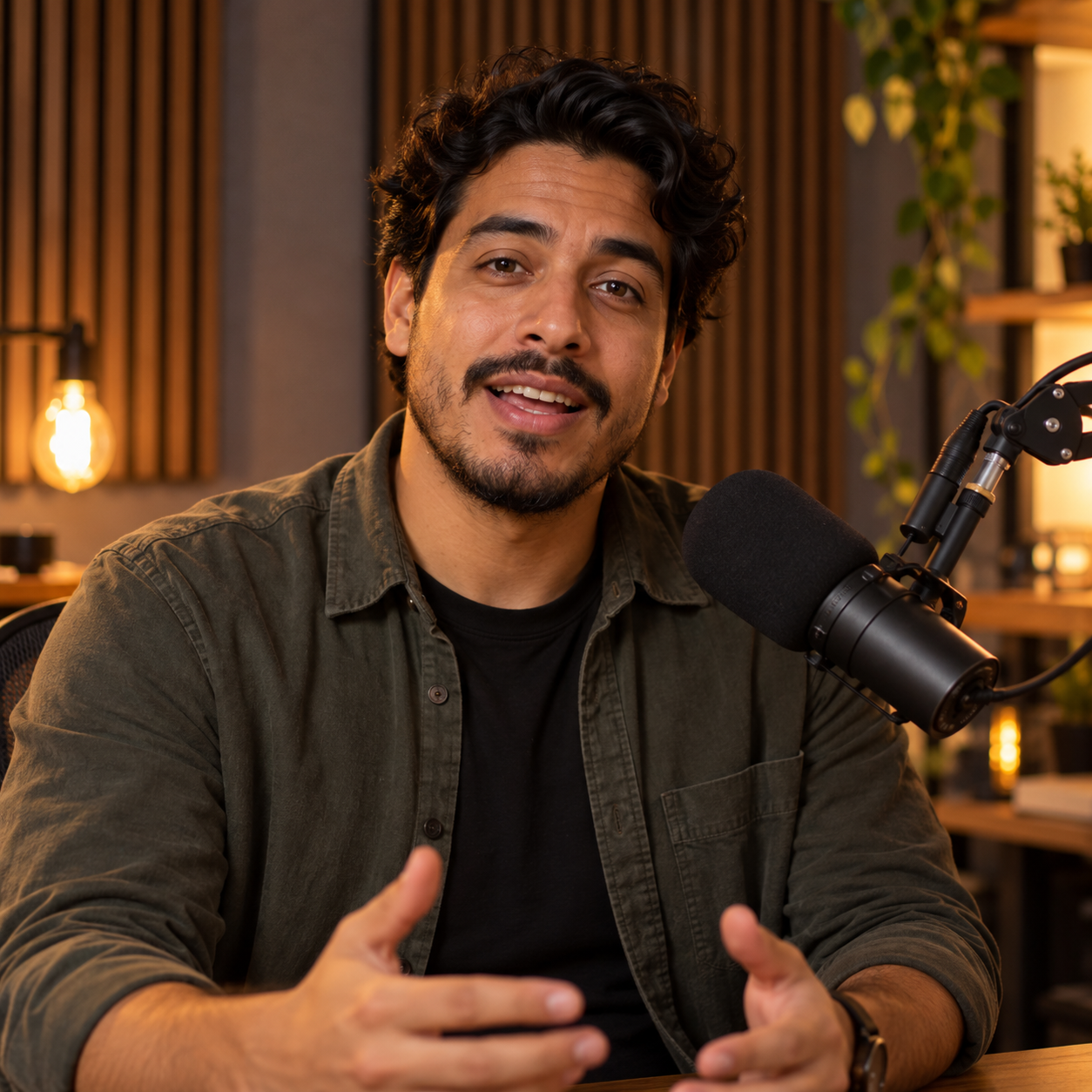
Presenter example for evaluating precise AI lip synchronization
Input audio
Prompt

Use a locked close-up with direct eye contact. Form each phoneme clearly and precisely, fully close the lips during the pause, and add a natural breath before the final phrase. Keep head motion minimal and avoid large gestures so lip synchronization remains easy to evaluate.

What this example shows

The generated mouth movement stays closely aligned through the pace change and deliberate pause. The quickest consonant transitions remain the most useful area to inspect at full playback speed.

02 · BODY MOTION

Natural Body Motion

OmniHuman 2.0
Instructor example for evaluating natural AI body motion
Input audio
Prompt

On “left,” indicate one side with the left hand. On “right,” shift gaze and open the right hand toward the opposite side. On “together,” move both hands smoothly toward the center, then return to a relaxed posture. Keep shoulders, arms, head and gaze coordinated without abrupt or repetitive motion.

What this example shows

Gestures follow the spoken cues with coherent head and posture changes instead of repeating one motion. Fine hand and finger transitions may appear less stable during the fastest movement.

03 · EXPRESSION

Expressive Facial Performance

OmniHuman 2.0
Close conversational portrait for evaluating facial expression
Input audio
Prompt

Begin with slightly uncertain eye focus and a gentle brow pinch. When the result appears, brighten the eyes and lift the eyebrows. After the pause, transition into a natural smile with a soft exhale, then settle into a warm, satisfied expression. Avoid exaggerated acting and large body movement.

What this example shows

Eye focus, blinking and eyebrow movement support the change in tone without becoming exaggerated. Quieter phrases produce subtler cheek and mouth motion than the more emphatic lines.

04 · SINGING

Singing Performance

OmniHuman 2.0
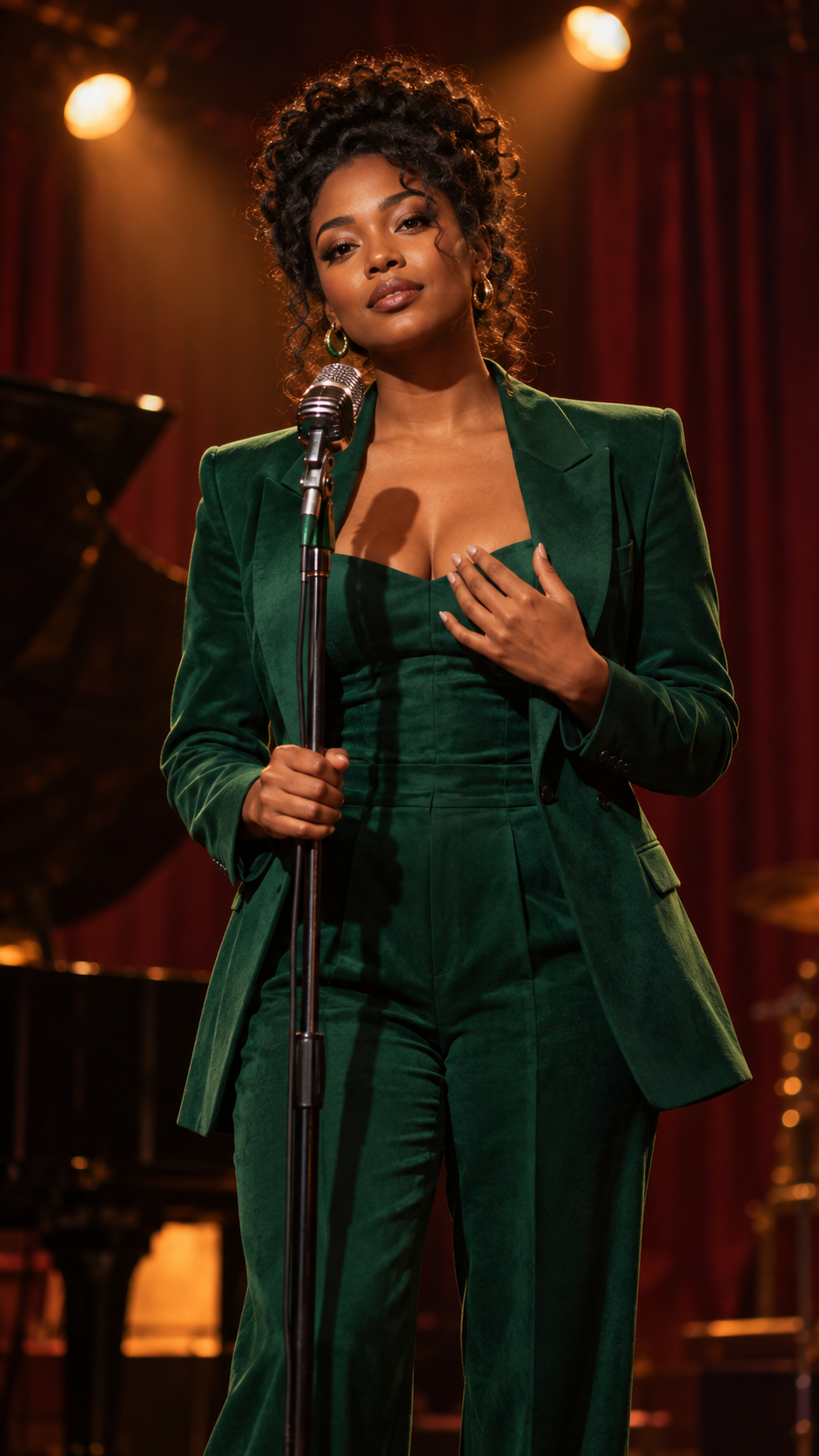
Singer example for evaluating AI singing performance
Input audio
Prompt

Perform the lyrics with accurate singing lip sync and controlled breathing. Begin still and reflective, place one hand near the heart on the second line, then open the hand outward as the emotion builds. Add a gentle body sway while preserving the stage and fixed camera.

What this example shows

Sustained vowels remain visually connected to the vocal line while expression and body rhythm build with the music. Fast lyric transitions and short breaths are less precise than the held notes.

05 · OBJECT CONTROL

Stable Object Interaction

OmniHuman 2.0
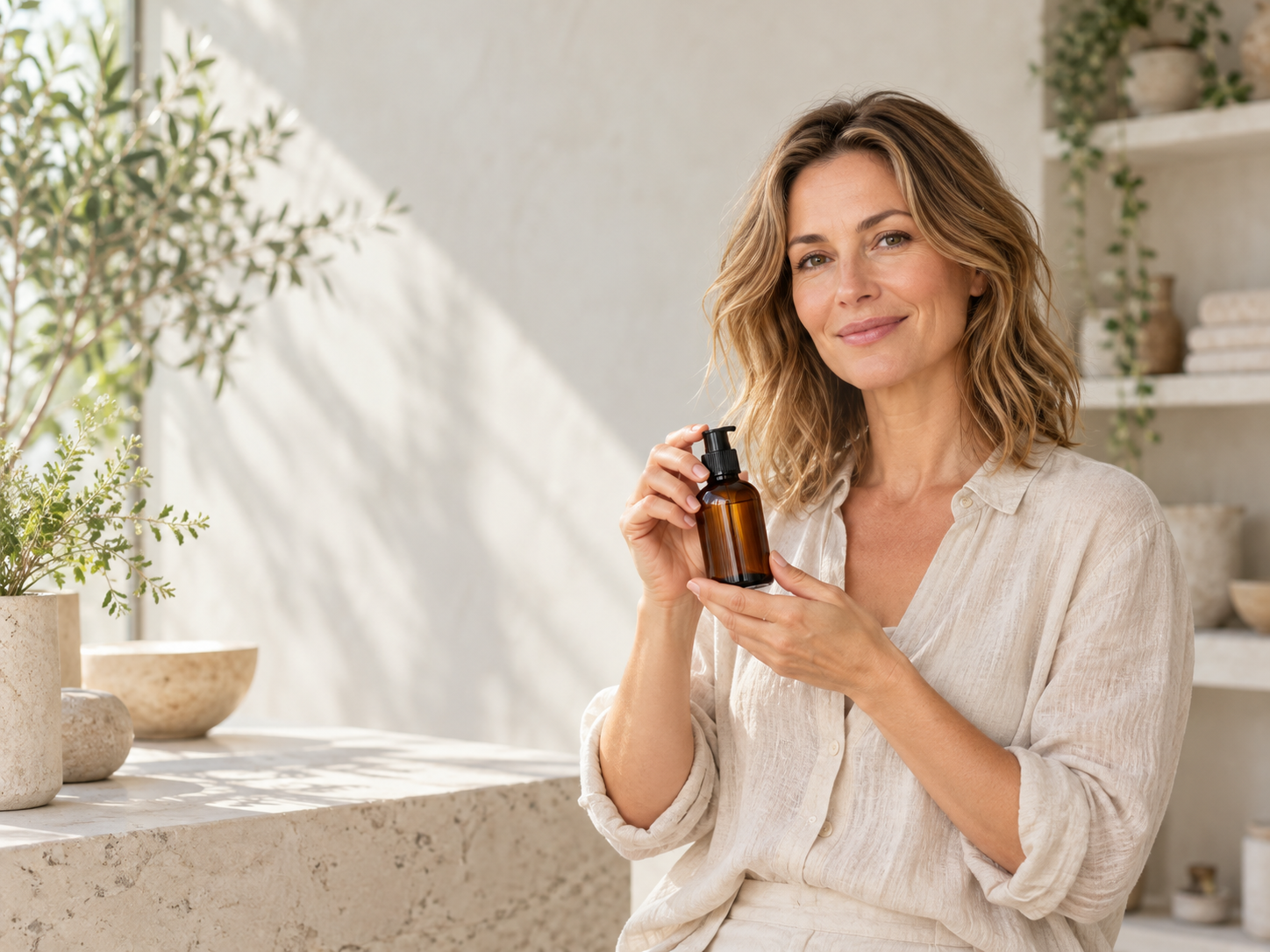
Presenter holding a product for evaluating stable object interaction
Input audio
Prompt

On “lift,” raise the bottle smoothly with one hand. On “turn,” rotate it slightly. On “steady,” hold it completely still. On “set it down,” lower it slowly to the starting position. Preserve finger contact, bottle shape, scale, label area and occlusion throughout; avoid warping, slipping or flicker.

What this example shows

The bottle keeps a consistent overall shape and remains connected to the hand through the lift, turn and lowering sequence. Finger contact and object edges should still be checked frame by frame during the rotation.

06 · STYLIZED MOTION

Stylized Character Animation

OmniHuman 2.0
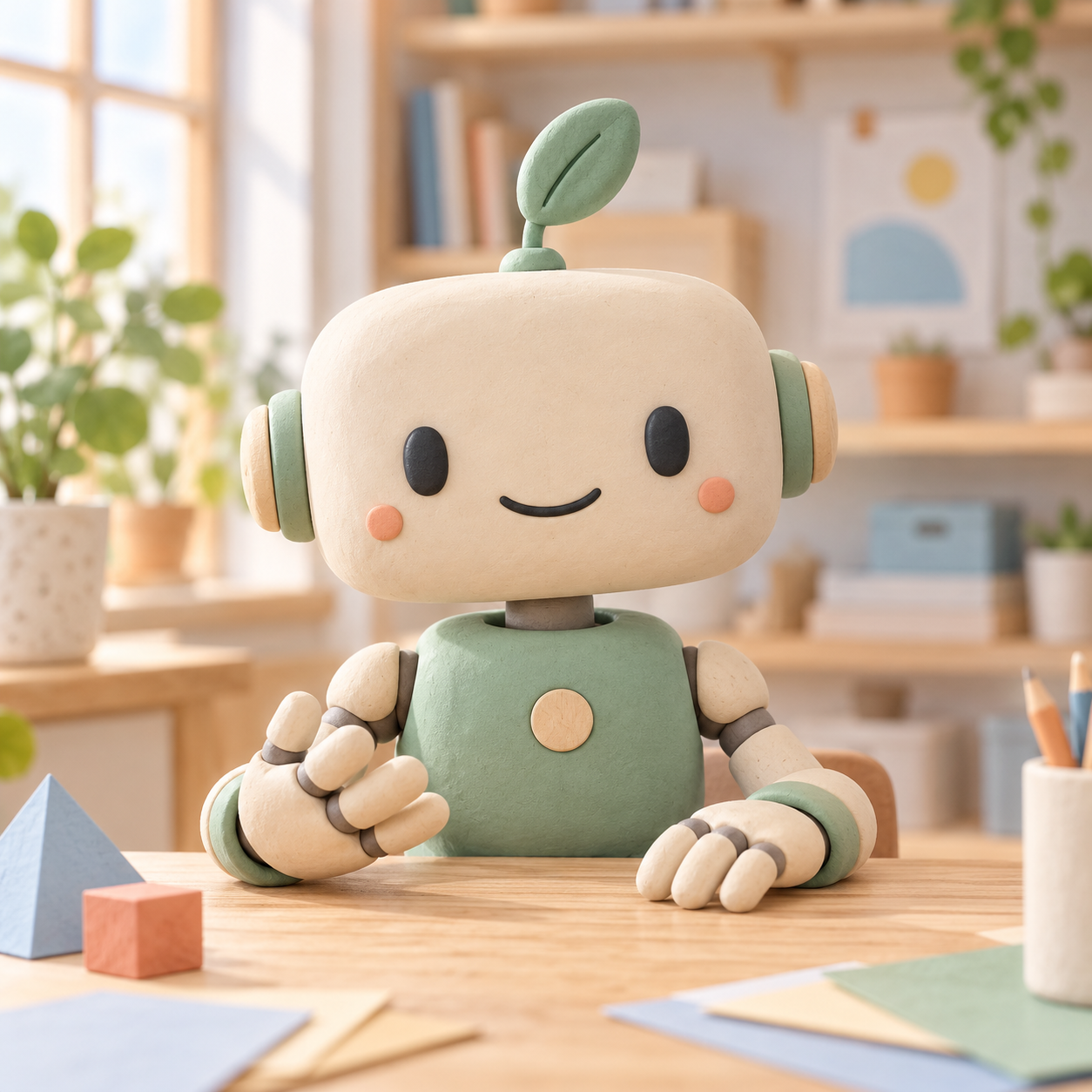
Original soft-clay helper robot for evaluating stylized character animation
Input audio
Prompt

During the thoughtful opening, tilt the head slightly and let the single leaf antenna lean gently. When mentioning two shapes, indicate each tabletop object with the corresponding hand. On “Ah,” blink naturally and brighten the simple smile. On “your turn,” make one small inviting hand gesture. Preserve the soft-clay surfaces, rounded head shape, facial placement and articulated joint structure throughout.

What this example shows

The character identity, rounded proportions and soft-clay appearance remain recognizable while the face, leaf and hands animate together. Small facial and joint details may soften when several motions overlap.

More Prompt Examples by Technique

Explore eight prompt techniques with OmniHuman 1.5 examples. Each example keeps its reference image, audio, prompt and generated video together.

Continuous Actions & Movement Control

Use "first… then…" to choreograph multi-step actions.
Always include "talking" or "singing" if the character must speak.

Explosion Turn Back Action OmniHuman 1.5

Explosion Turn Back Action
"The man walks forward first, then stops and puts his hands on his hips while speaking.
Then he turns around to look at the explosion behind him, showing his back.
The clothes on his back have been blown to pieces."
Explosion Turn Back Action

Walking Singing Follow Shot OmniHuman 1.5

Walking Singing Follow Shot
"The camera follows. The man turns around, looks at the camera and walks forward, singing.
He first touches his collar with both hands, then spreads his hands and raises his head."
Walking Singing Follow Shot

Speak First Then Gesture / Gesture First Then Speak

Remove Cigarette Before Speaking OmniHuman 1.5

Remove Cigarette Before Speaking
"The man quickly took the cigarette out of his mouth, then started speaking to the camera."
Remove Cigarette Before Speaking

Speaking Turn And Run OmniHuman 1.5

Speaking Turn And Run
"The camera zoomed in. The woman spoke to the camera, and after finishing, turned around and ran backward."
Speaking Turn And Run

Multi-Character Action Control

Use the voices and pauses in the audio to make each speaking turn clear. Describe what the other person does while listening.

Who speaks when?

Give each speaker a distinct voice and leave a short pause between turns.
In the prompt, identify the active speaker and describe how the listener reacts.
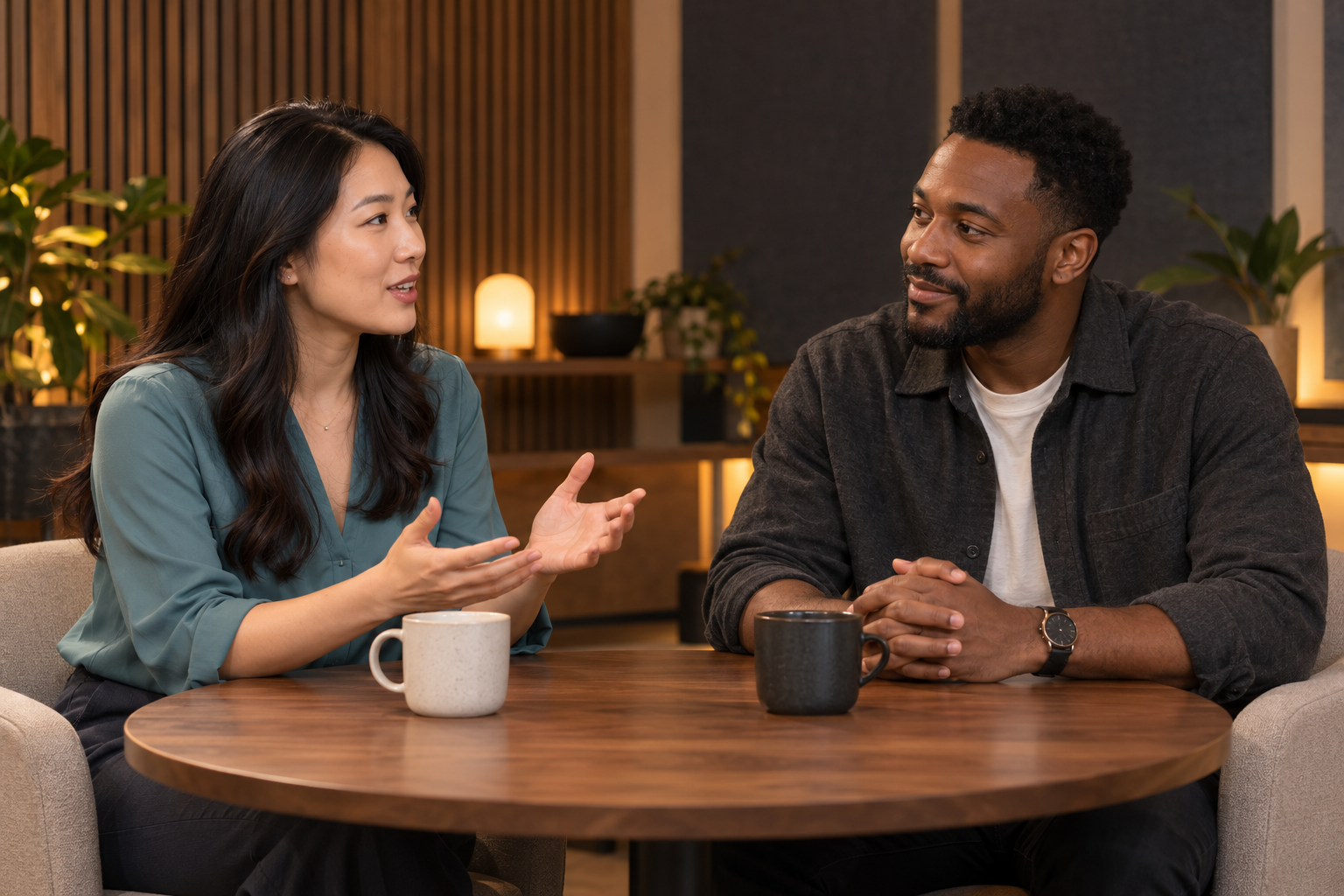
Original generator example · OmniHuman 2.0

Multi-Person Turn Taking

Try this example →
Reference imageMulti-Person Turn Taking reference image showing two speakers
Conversation audio
Full prompt used

Use a locked eye-level medium two-shot and preserve both character identities throughout the scene. The woman on the left speaks first with natural mouth movement, eye contact toward the man and one small open-hand gesture. The man remains silent, listens attentively, gives a subtle nod and does not move his lips. After the brief pause, the man speaks while turning his attention slightly toward the woman. The woman stops speaking, keeps her mouth closed and gives a natural listening reaction. During the final line, the woman speaks again and gives a small confirming nod while the man returns to a listening expression. Keep both people visible at all times. Maintain stable faces, clothing, hands, table objects, lighting and background. Do not move the cups. Avoid camera movement, exaggerated gestures, overlapping speech, identity changes or additional people.

What to watch: Watch how the active speaker changes while the listening character maintains natural eye contact, facial reactions and stable body posture.

Boy Catches Up And Talks OmniHuman 1.5

Boy Catches Up And Talks
"Following the camera, the boy quickened his pace to catch up with the girl and then started talking to her.
The girl stopped, turned around impatiently, and stared at the boy."
Boy Catches Up And Talks

Torch Man Speaks Then Looks At Camera OmniHuman 1.5

Torch Man Speaks Then Looks At Camera
"Following the camera, the man holding a torch on the left looked at the others while speaking.
Then he turned back to look into the camera."
Torch Man Speaks Then Looks At Camera

Camera Movement Control

Precisely control movement type, speed, and end position.
Use "rapidly / quickly" for stronger responsiveness.

Circular Pan Rapid Zoom In OmniHuman 1.5

Circular Pan Rapid Zoom In
"Pan the camera to the right in a circular motion.
The character speaks while facing forward.
Then quickly zoom in and focus on the character's front face.
The character puts down the binoculars and speaks."
Circular Pan Rapid Zoom In

Emotional Level & Micro-Expression Control

Calm To Panic Transition OmniHuman 1.5

Calm To Panic Transition
"First, the man looked calm and spoke to the camera.
Then he suddenly became nervous and panicked, frowning tightly."
Calm To Panic Transition

Contempt To Pride Sequence OmniHuman 1.5

Contempt To Pride Sequence
"First, the woman rolled her eyes disdainfully and spoke with contempt.
Then she supported her chin with her index finger.
Finally, she played with the box on the table with a proud expression."
Contempt To Pride Sequence

Special Effects / Adding Unreal Elements

Distorted Air Ripple Absorption OmniHuman 1.5

Distorted Air Ripple Absorption
"Distorted air ripples appear.
The father and son are sucked into the depths like dust and disappear instantly,
leaving only the remote control and phone on the empty sofa."
Distorted Air Ripple Absorption

Evil Sunglasses Chick OmniHuman 1.5

Evil Sunglasses Chick
"The chick puts on sunglasses, holds two guns, and speaks evilly."
Evil Sunglasses Chick

Camera Focus Control (Depth of Field)

Focus On Fallen King OmniHuman 1.5

Focus On Fallen King
"The reporter reports to the camera.
The king behind collapses.
The camera focuses on the collapsed king.
The reporter quickly turns around and speaks while looking behind."
Focus On Fallen King

Focus On Soldier Behind OmniHuman 1.5

Focus On Soldier Behind
"The woman turns around and speaks while looking at the soldier behind.
The camera focuses on the soldier.
Then she turns back to speak to the camera."
Focus On Soldier Behind

Environmental Interaction Description

Gentle Breeze Interaction OmniHuman 1.5

Gentle Breeze Interaction
"A gentle breeze blows.
The character's clothes and hair flutter slightly.
The leaves in the background sway."
Gentle Breeze Interaction

Selfie Orangutan Color Changing Lava OmniHuman 1.5

Selfie Orangutan Color Changing Lava
"The orangutan maintains a selfie pose and talks to the camera.
The volcanic lava behind gradually turns blue."
Selfie Orangutan Color Changing Lava

Precautions & Recommendations

Recommended Practices

Upload high-resolution input images.
Complex scenes may require multiple generations.
You can generate a video without a text prompt. Add instructions when you want to guide specific character actions, expressions, or camera movement.

Avoiding Common Issues

Keep complex scenes short for initial tests. Shorter clips can be easier to keep structurally consistent. Treat this as a starting point rather than a guarantee, and test longer sequences with your own inputs.
A small or distant face may make lip movements harder to see.
Characters leaving and re-entering the frame may lose consistency.
Extreme poses or viewing angles may reduce result quality.